The Ping and Traceroute commands are networking diagnostic tools that can help us troubleshoot problems in your connection to give us further information regarding your issue.
For both these commands you will need to open your command prompt.
In Windows, you can open your command prompt by going to the Start Menu and typing CMD or Command Prompt and clicking the application to open it. Another option is to open the Run application and type the command “CMD”.
If you are running a different operating system, you will need to find instructions on how to open your Command Line (Linux) or Terminal (Mac OS)
How to do a Ping test
Once you open your command prompt, type the ping command followed by the provided network address and press enter. Wait until the statistics come up to see the full results.
/command-window-ping-web_site-56a1ad4b3df78cf7726cf9a8.png)
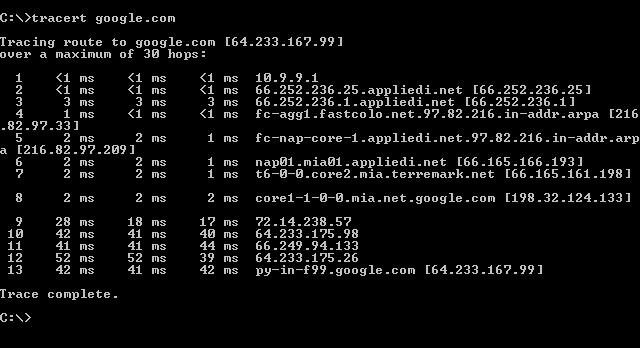
How to do a Tracereoute test
Once you open your command prompt, type the tracert command followed by the provided network address and press enter. Wait until the test finishes with a "Trace complete" or error message.
On Linux and MacOS the command you need to use is traceroute.